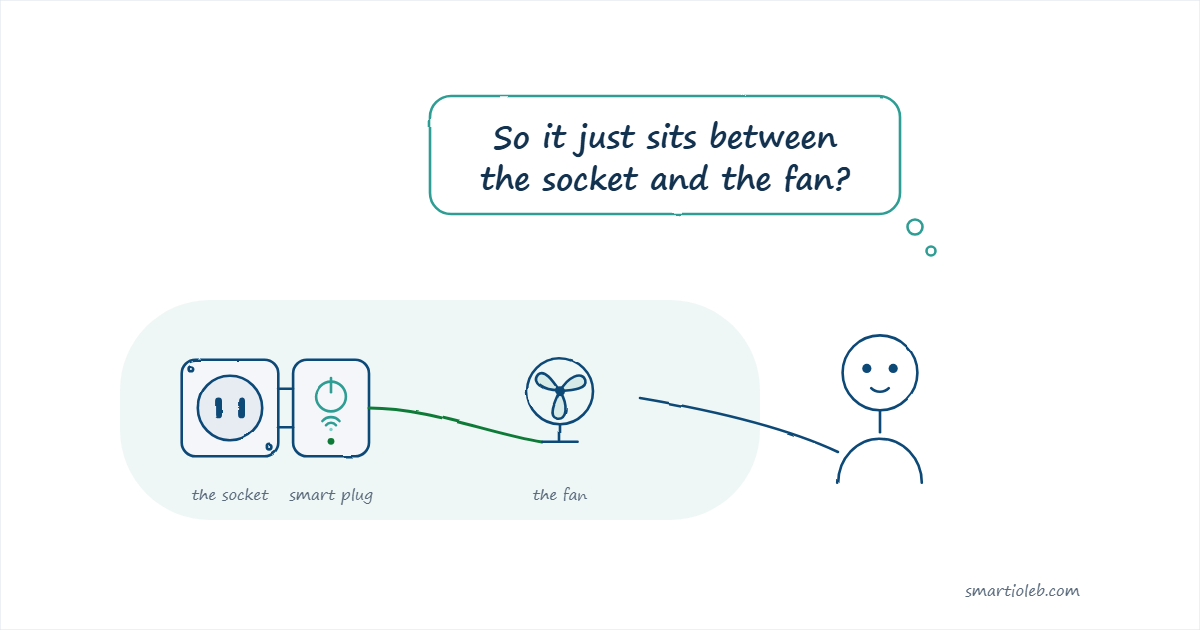
A smart plug is a small adapter that sits between your wall socket and whatever you plug into it. The appliance stays exactly as it is. The plug controls the power going to it, and you control the plug from your phone.
That is the whole idea. You plug the smart plug into the wall, you plug your lamp, fan, heater or pump into the smart plug, and now that device can be switched on and off from your phone, or on a schedule, without anyone standing next to it.
A smart plug does not change the appliance. It only decides whether the appliance gets power.
What a smart plug actually does
Switch a device on or off from your phone. You do not need to be at home. As long as the plug has power and a connection, you can turn the device on or off from anywhere.
Run a schedule. Turn the water heater on at 6:00 in the morning and off at 7:00. Turn the outdoor lights on at sunset. The schedule repeats every day without you doing anything.
Show you how much power a device uses. Most of the plugs we sell measure the electricity going through them, so you can see what a specific appliance actually draws instead of guessing. This is useful when you are trying to work out which device is responsible for a large share of your consumption.
Work with a voice assistant. Several of these plugs work with Alexa and Google Home, so you can switch the device by voice. Check the individual product page, because support differs from model to model.
What a smart plug does not do
This part matters more than the feature list.
It does not give you power during a cut. A smart plug is not a battery and not a backup supply. When the power to the socket is off, the plug is off and the appliance is off. When the power returns, the plug comes back and its schedules continue.
It does not add features to the appliance. If your kettle has a mechanical switch and that switch is in the off position, the kettle will not boil when the smart plug turns on. Smart plugs work best with devices that start working as soon as they receive power: lamps, fans, heaters, pumps, chargers, routers.
There is no single app for every brand. Each brand runs its own app. Sonoff plugs use eWeLink. Shelly plugs use the Shelly app. If you buy from two brands, you will have two apps. This is worth deciding before you buy, not after.
Wi-Fi or Zigbee?
Two different ways for the plug to connect. Neither is better in general, because they suit different situations.
| Wi-Fi | Zigbee | |
|---|---|---|
| Needs a hub | No, it connects to your router | Yes, a Zigbee hub or USB dongle |
| Good for | One or two devices, simplest setup | Many devices around the house |
| Effect on your router | Each plug takes a Wi-Fi connection | Plugs do not touch your Wi-Fi |
| If the internet is down | Local schedules usually keep running, but you cannot control it from outside | Automations keep running through the hub |
| Extra benefit | – | Each mains-powered Zigbee device relays the signal, so coverage improves as you add more |
If you are buying your first smart plug, Wi-Fi is the simpler start. If you already plan to add sensors, switches and more plugs later, Zigbee with a hub tends to hold up better as the number of devices grows.
Where people in Lebanon use them
Water heater. A schedule means it heats before you need it and stops afterwards, instead of staying on. Check the heater’s wattage against the plug’s rated load first, because this is the one appliance where the rating really matters.
Water pump. Switch the pump from your phone instead of going to find the breaker.
Fans and small heaters. Useful with a schedule, and useful for switching something off that was left on.
Lamps. A smart plug turns a whole lamp into something you can schedule, which is often simpler than replacing the bulb.
Working out what a device costs you. Power monitoring shows you the real draw of one appliance. If you share a limited supply, knowing which device is heaviest is more useful than estimating.
How to choose one
- Indoor or outdoor? Outdoor sockets need a weatherproof plug. An indoor plug is not safe outside.
- One device or several? A power strip with individually controlled sockets replaces several plugs and lets you measure each socket separately.
- Check the load rating. Every plug has a maximum current and wattage, listed on its product page. The appliance must stay below it. If you are not sure, send us the appliance’s details on WhatsApp and we will tell you which plug fits.
- Do you want power monitoring? Most of ours have it. If you only want to switch something on and off, you do not need to pay for it.
- Wi-Fi or Zigbee? See the table above. If you have no hub and no plan to buy one, choose Wi-Fi.
The smart plugs we stock
- Sonoff S60 Wi-Fi Smart Plug – the simplest starting point. Wi-Fi, no hub, power monitoring and overload protection. App: eWeLink.
- Sonoff S60ZB Zigbee Smart Plug – the same idea over Zigbee, with energy monitoring and overload protection that cuts at 4000W. Needs a Zigbee hub. It also relays the Zigbee signal for your other devices. App: eWeLink.
- Shelly Outdoor Plug S Gen3 – weatherproof, for the garden, balcony or terrace. Wi-Fi, Bluetooth, Zigbee and Matter. App: Shelly.
- Shelly Power Strip 4 Gen4 – four sockets, each switched and measured on its own. Wi-Fi, Bluetooth, Zigbee and Matter. App: Shelly.
You can see current prices and stock on the smart plugs page. If you want the Zigbee route, we also stock Zigbee hubs and USB dongles.
What happens when the power comes back
This is the question people ask most, and it has a good answer. A smart plug lets you decide, once, what it should do the moment electricity returns after a cut. The setting is called the power-on state and it lives in the app.
There are three choices. Turn on means the plug powers the device the instant electricity is back, which is what you want for a fridge or a router. Stay off means it comes back switched off, which is safer for a heater you may have left on. Keep last state means it returns to however you left it before the cut.
Pick it once and the plug remembers. It applies to every cut after that, whether you are home or not.
You do not need to be on your home Wi-Fi
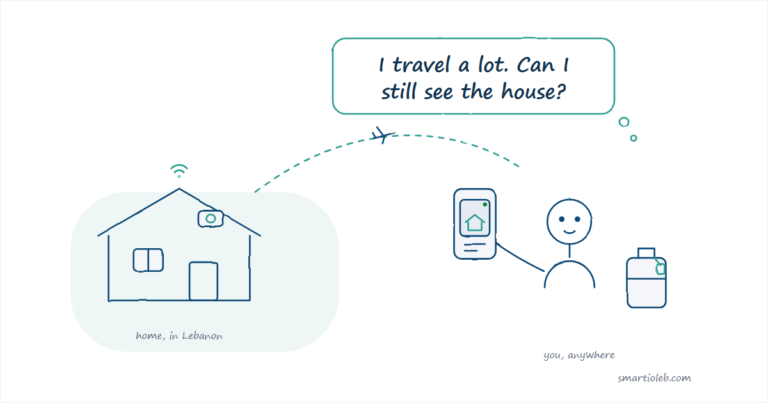
A common worry is that the plug only works when your phone is on the same Wi-Fi as the plug. That is not the case. You can switch it from anywhere you have mobile signal.
Your phone sends the instruction over mobile data. It travels through the mobile network and the internet to your home router, and the router passes it to the plug. The plug never leaves your home Wi-Fi. You are the one moving.
The one thing this depends on is your home internet still being up. If the router at home is off, or the power at home is out, there is nothing for the instruction to reach.
Common questions
Does a smart plug work during a power cut?
No. The plug needs electricity to work. When the socket has no power, the plug and the appliance are both off. When power returns, the plug reconnects and any schedules continue as normal.
Do I need a hub?
Only for Zigbee plugs. Wi-Fi plugs connect straight to your router and need nothing else.
Can I use a smart plug with a water heater?
Often yes, but check the numbers first. Compare the heater’s wattage to the plug’s rated load, shown on the product page. If you are not sure, message us the model of your heater and we will tell you which plug is suitable.
Will the schedule still run if my internet is down?
Zigbee automations run through the hub and keep working without internet. Wi-Fi plugs usually keep their local schedules, but you will not be able to control them from outside the house until the connection is back.
Do smart plugs work with Alexa or Google Home?
Several models do. Check the individual product page, because support is not the same across every model.
Do I need a different app for each brand?
Yes. Sonoff plugs use eWeLink and Shelly plugs use the Shelly app. If you prefer to use a single app, buy your plugs from one brand.
Is it safe to leave a smart plug connected all the time?
Yes, that is how they are meant to be used, as long as the connected appliance stays within the plug’s rated load. The two Sonoff S60 models add overload protection, which cuts power if the device draws more than the rated current. Check each product page for the exact rating.