How It Works

1
Turn off the breaker
Cut power to the wall switch you're replacing. Pull out the old switch - note the wires (you'll need Live + Neutral).
2
Wire the NSPanel
Connect L + N to the panel's input terminals. Connect 2 light circuits to the 2 output terminals for the physical buttons.
3
Mount + power on
Screw the panel into the back-box. Restore breaker. The screen turns on within ~20 seconds.
4
Pair + create scenes
Open eWeLink, add the panel via QR scan. Once paired, design scenes in the app - Goodnight, Goodmorning, Movie - and assign them to home-screen shortcuts.

Is This Right for Me?

Display: 3.5-inch capacitive touchscreen
Physical buttons: 2 (for direct local light control)
Form factor: 86 Type (square Lebanese back-box)
Color: Black
Thermostat: Built-in temperature sensor
Wi-Fi: 2.4 GHz only
Power: Mains 100-240V AC, neutral required
App: eWeLink

Product Details

Sonoff NSPanel Wall Switch – 86 Type (Square)

The Sonoff NSPanel is a smart wall switch with a 3.5-inch touchscreen and two physical switch buttons. It replaces your regular wall switch and lets you control your Sonoff smart devices, set scenes, and check the room temperature – all from the screen on your wall.

Think of it as a mini control center for your smart home, right where your light switch used to be. Available in white and black.


Key Features:

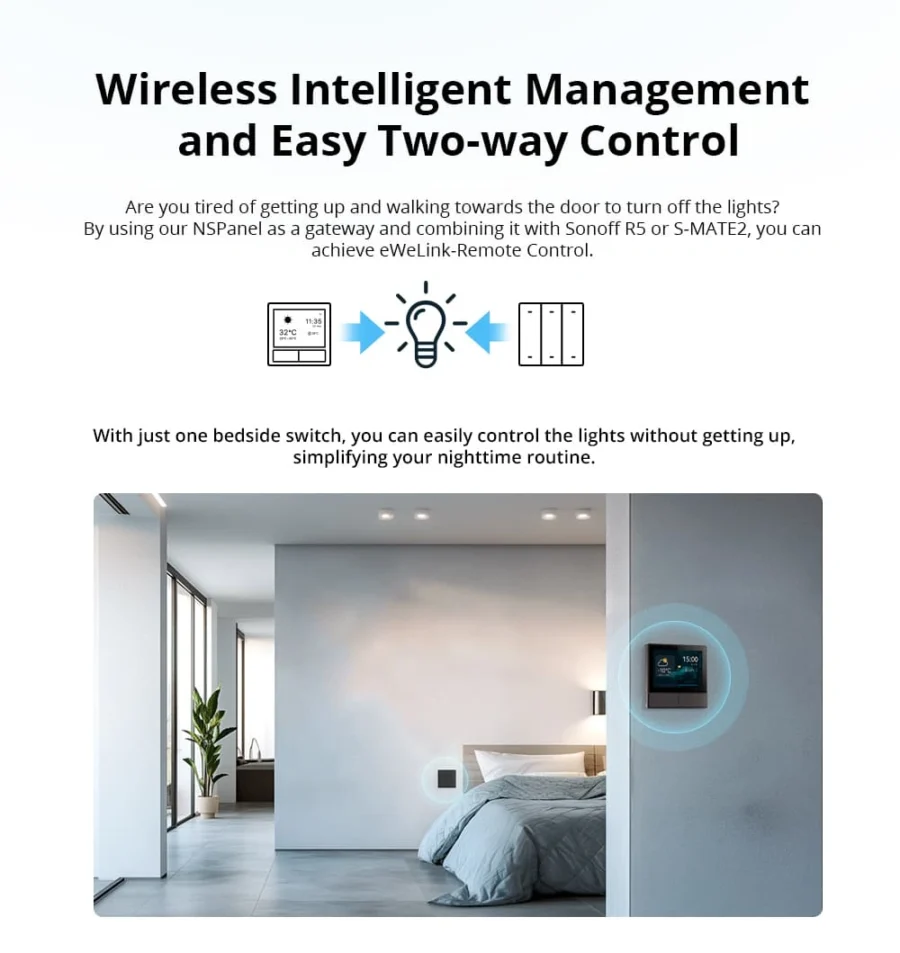
  • Touchscreen + 2 Switches: Use the screen to control smart scenes and the buttons to control lights directly.
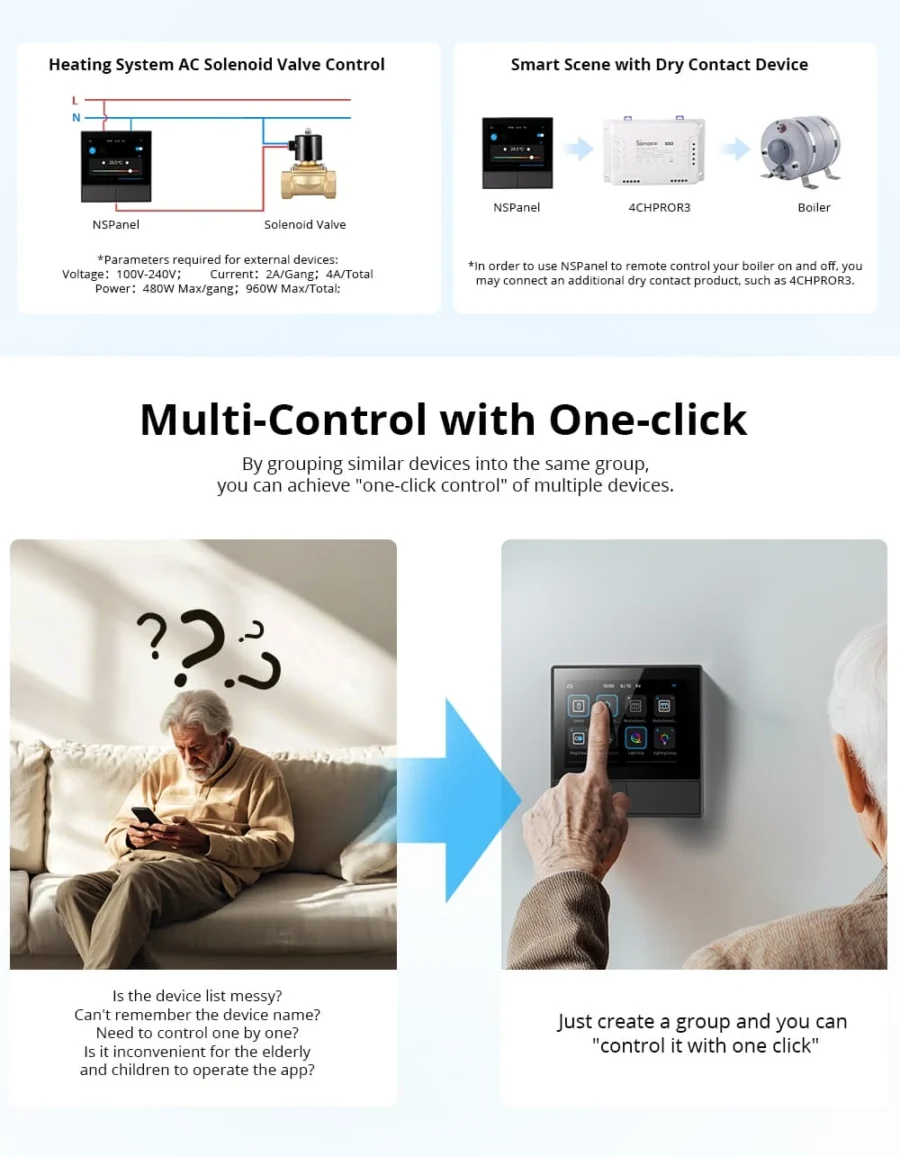
  • Smart Scenes: Set up modes like “Good Morning” or “Good Night” and activate them with one tap.
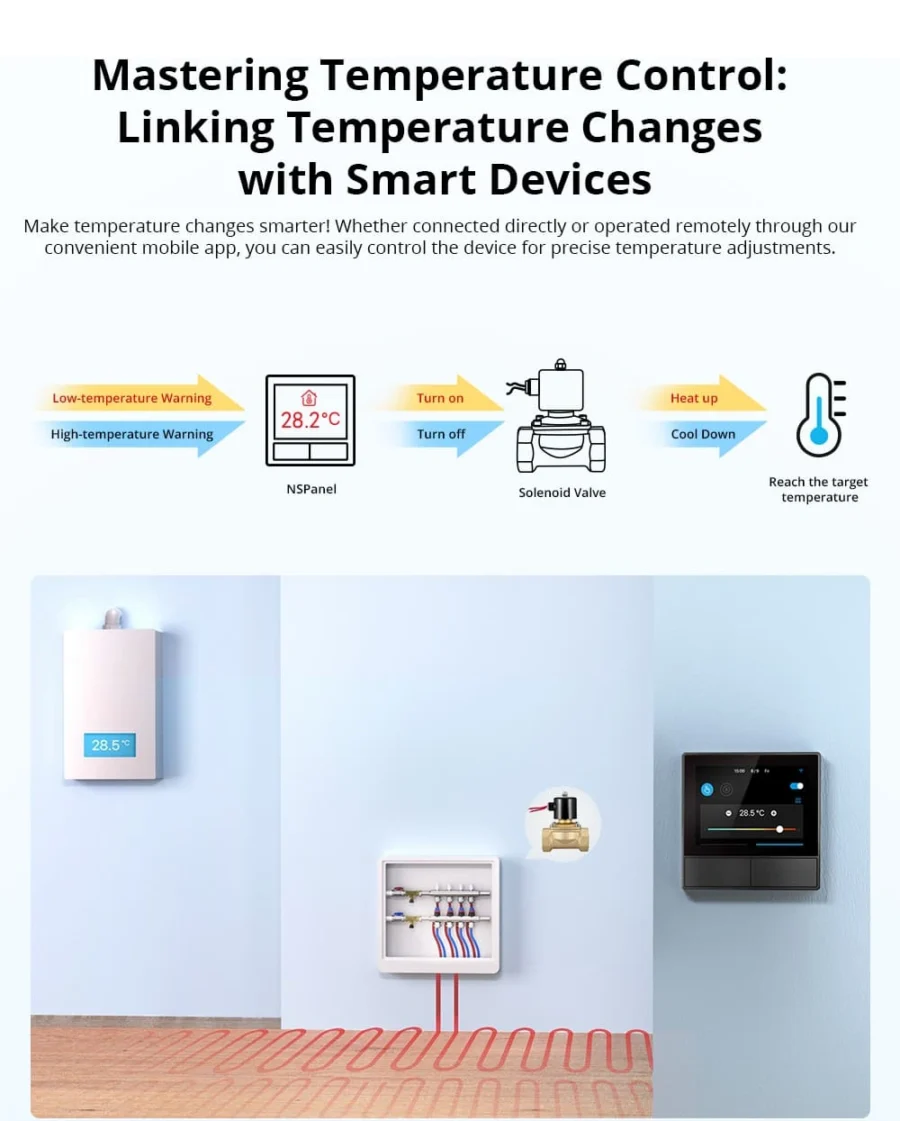
  • Built-in Thermostat: Reads the room temperature and can control heating/cooling devices to maintain your desired level.
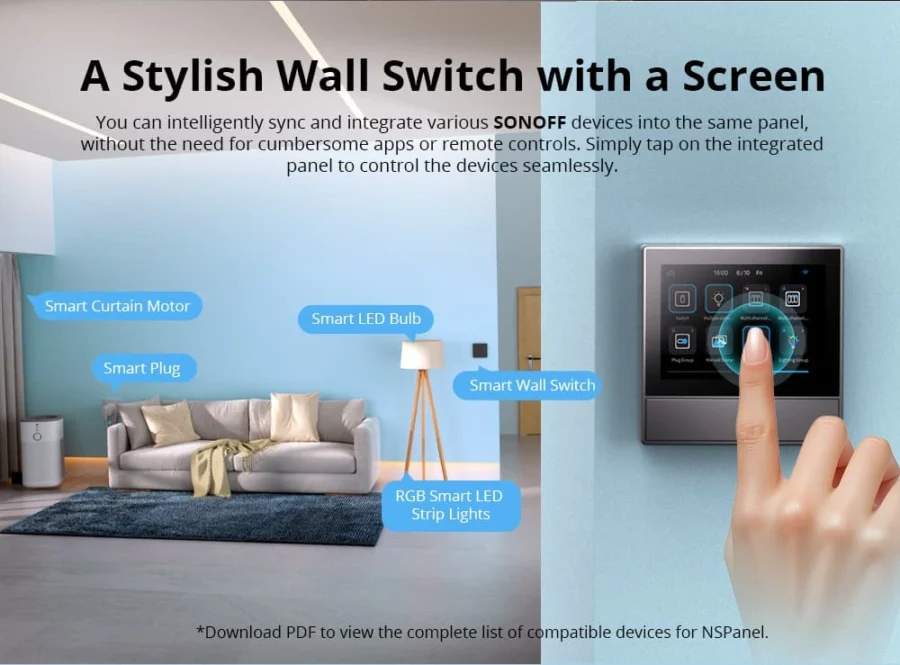
  • Control Other Sonoff Devices: Use the screen to manage other Sonoff products in your home.
  • Voice Control: Works with Google Assistant and Alexa.

💡 Pro Tip: Set up a ‘Good Night’ scene that turns off all your lights, closes the curtains, and sets the AC to your sleep temperature – all with one tap on the NSPanel before bed.

What You Get

One wall, all your devices
3.5-inch touchscreen + 2 physical buttons. Trigger scenes, dim lights, switch the AC - without picking up your phone.
Built-in thermostat
On-board temperature sensor monitors the room. Trigger heating or cooling automatically based on the reading.
Scene shortcuts
"Goodnight" turns off all lights + lowers AC. "Movie" dims the living room + closes curtains. One tap, full scene.
No phone needed
Guests, kids, grandparents - anyone can control the home without learning the app. Just tap the wall.
Physical buttons too
Two real click-buttons below the screen control 2 local lights directly - no scene needed, no Wi-Fi needed.

A Closer Look

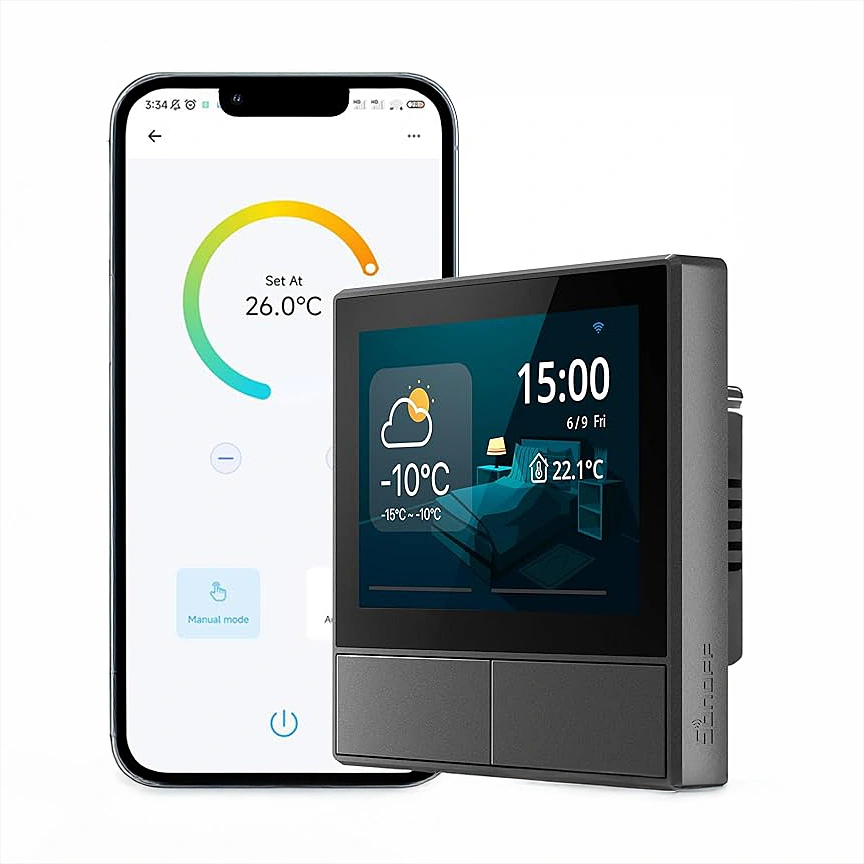
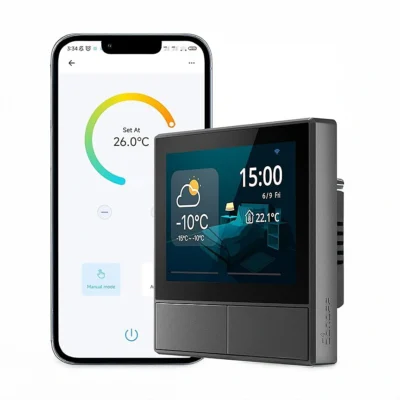
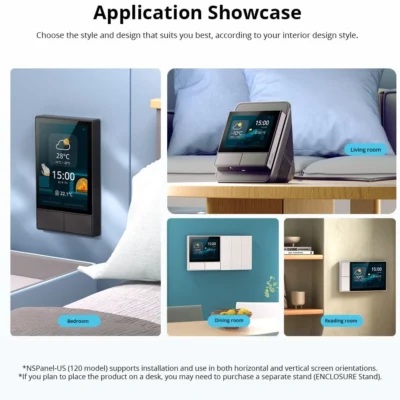
Sonoff NSPanel Smart Scene Wall Switch | 86 Type

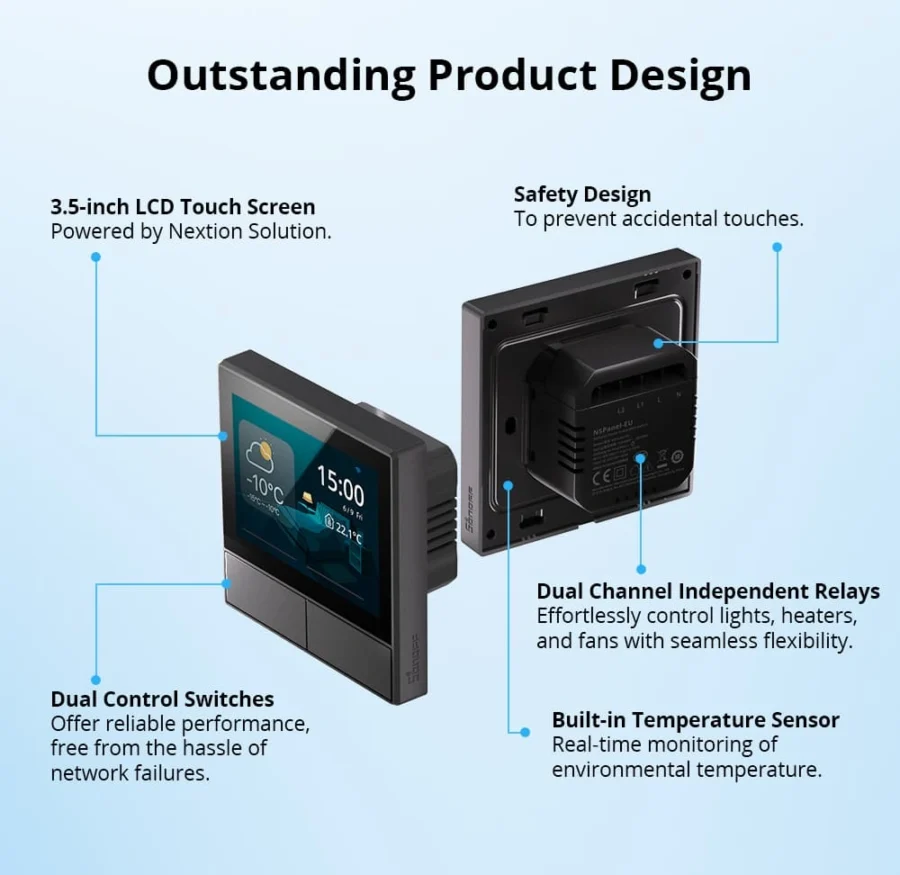
Outstanding Product Design
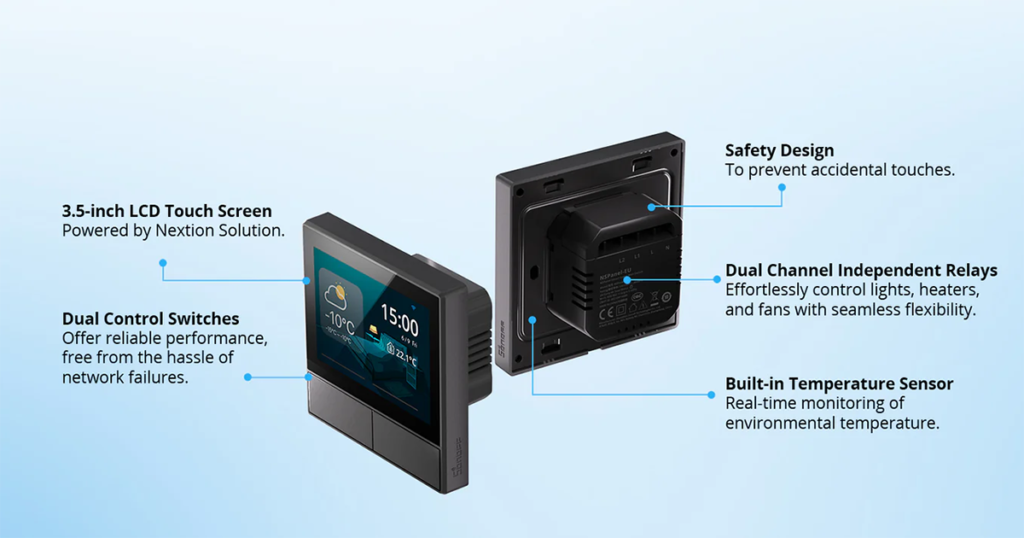
Sonoff NSPanel Smart Scene Wall Switch | 86 Type

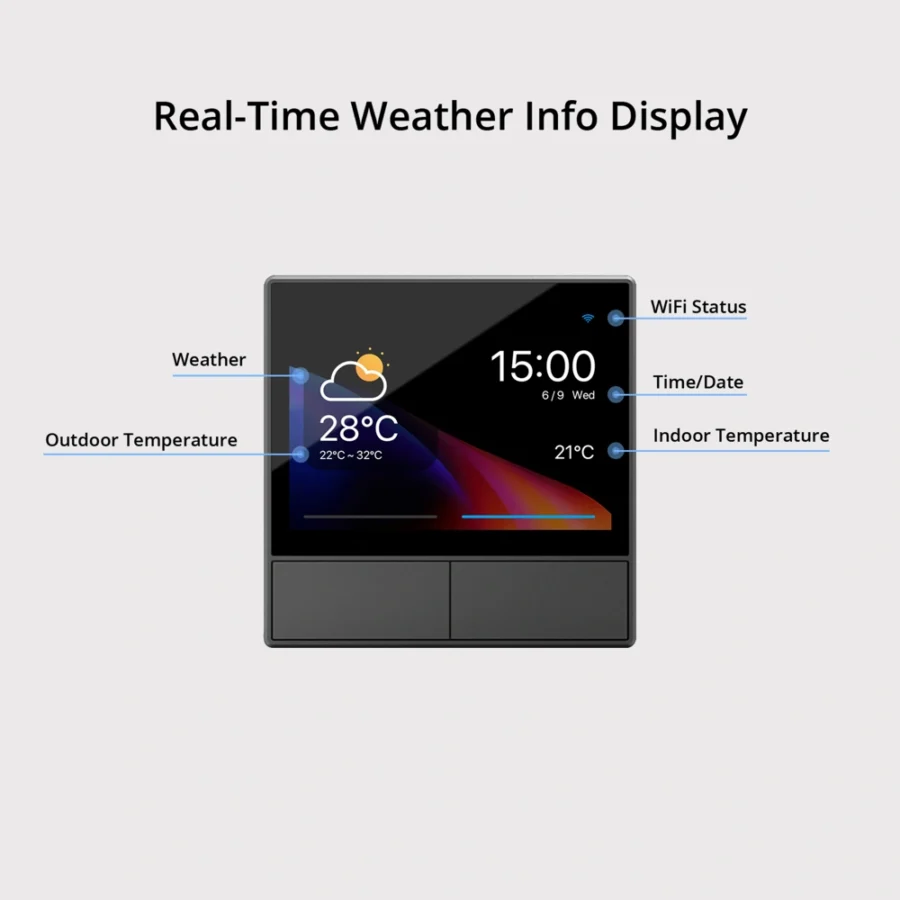
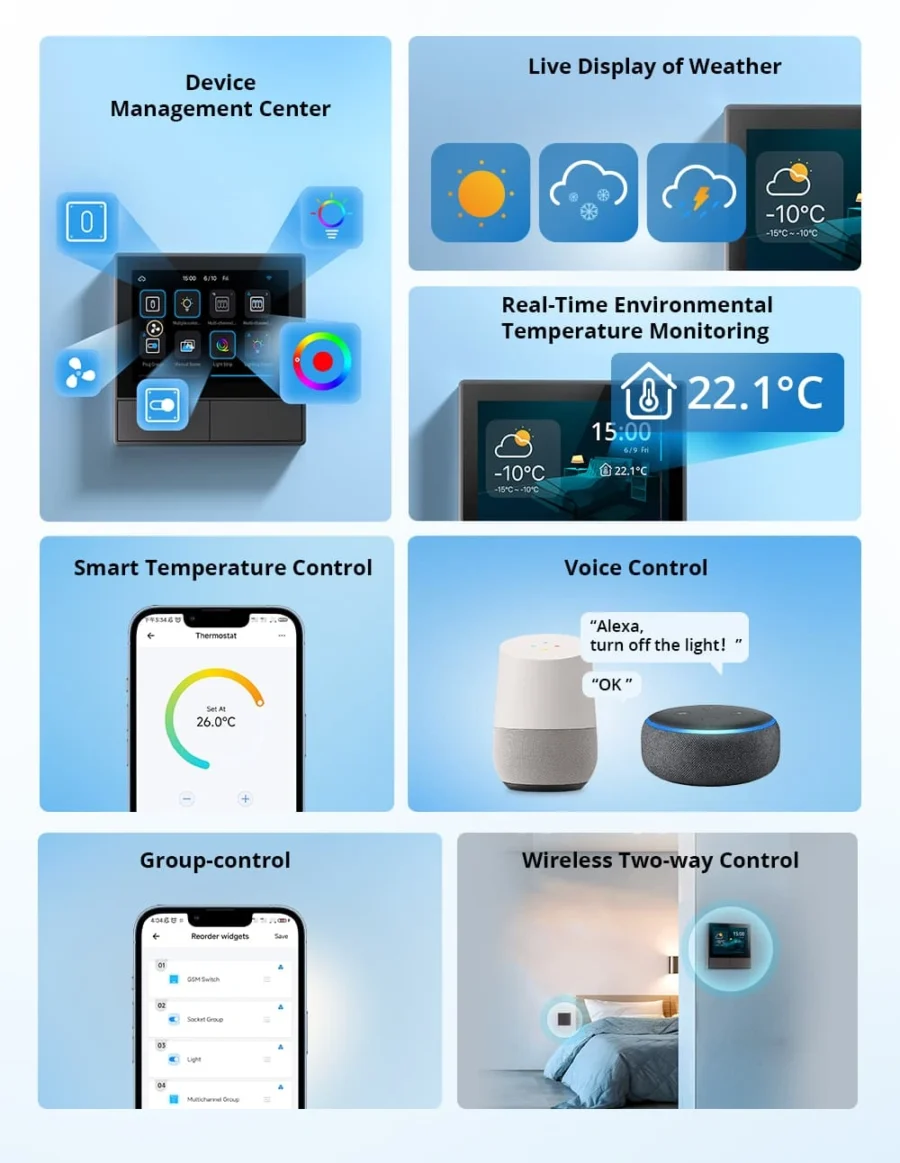
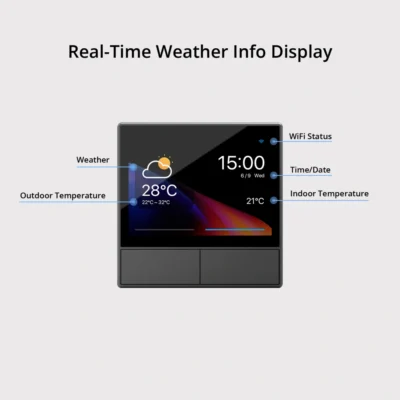
Real-time Weather and Indoor Temperature Display

It provides real-time outdoor weather updates and accurate time display,with a built-in temperature sensor to help you monitor changes in indoor ambient temperature.
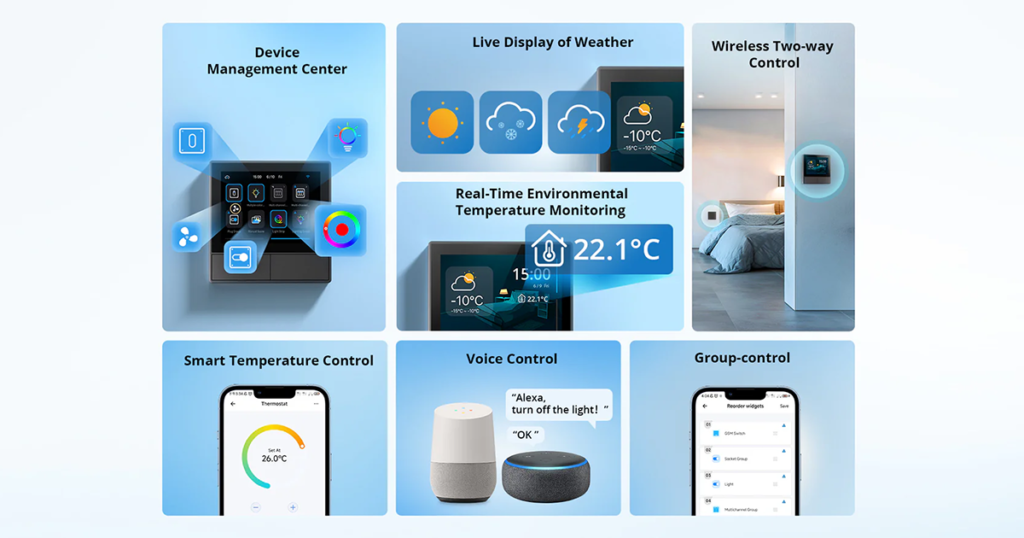
Real-time Weather and Indoor Temperature Display

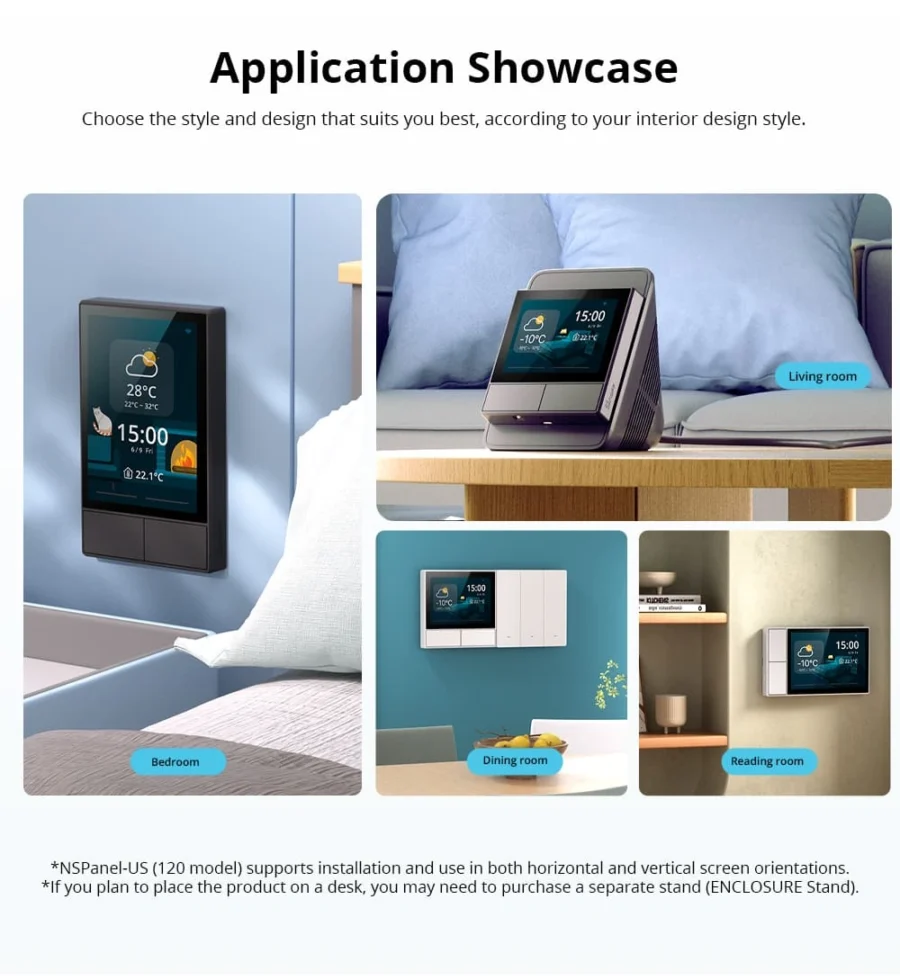
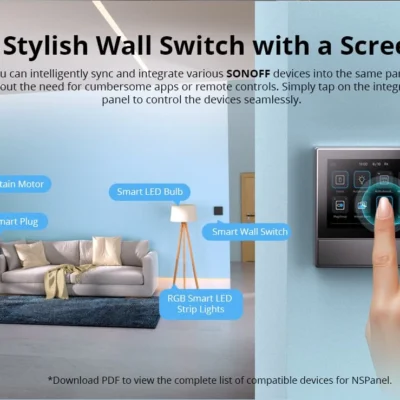
A Stylish Wall Switch with a Screen

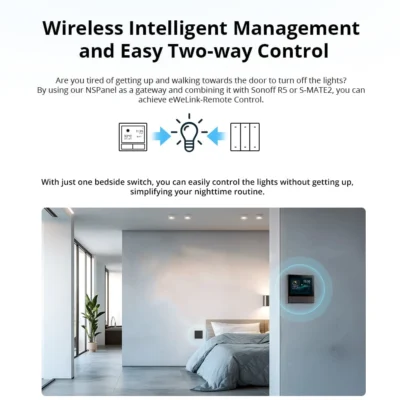
Add your Sonoff devices to the panel and control them with a tap, without opening an app or finding a remote.
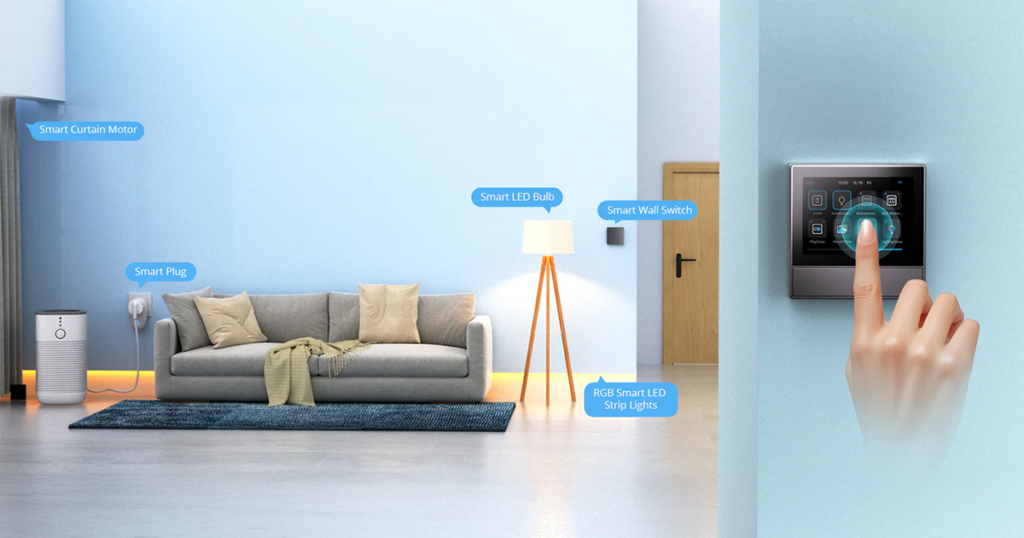
A Stylish Wall Switch with a Screen

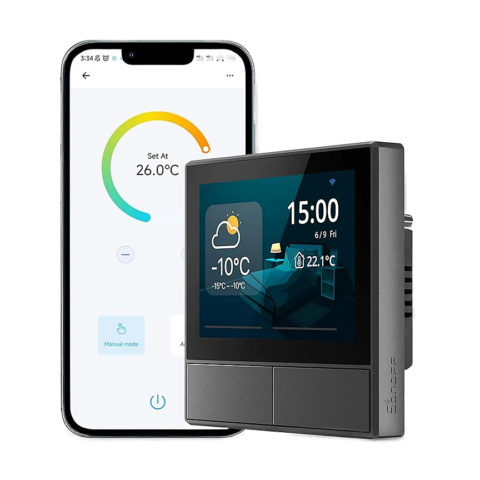
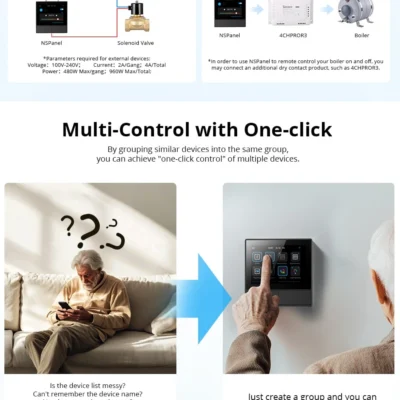
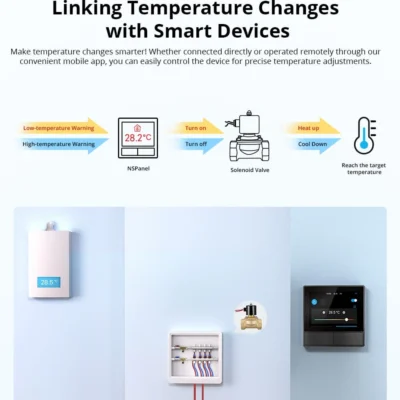
Mastering Temperature Control

Linking Temperature Changes with Smart Devices
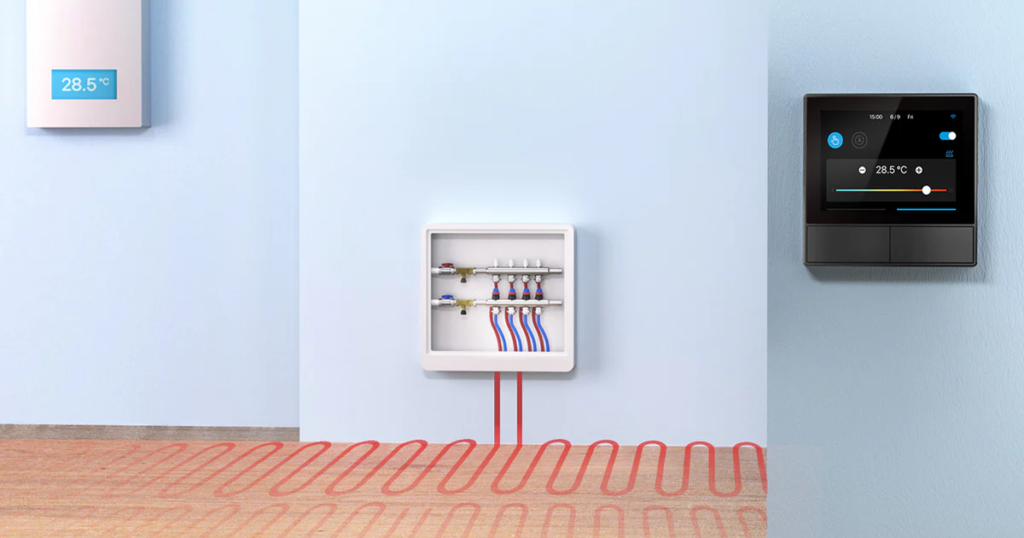
Mastering Temperature Control

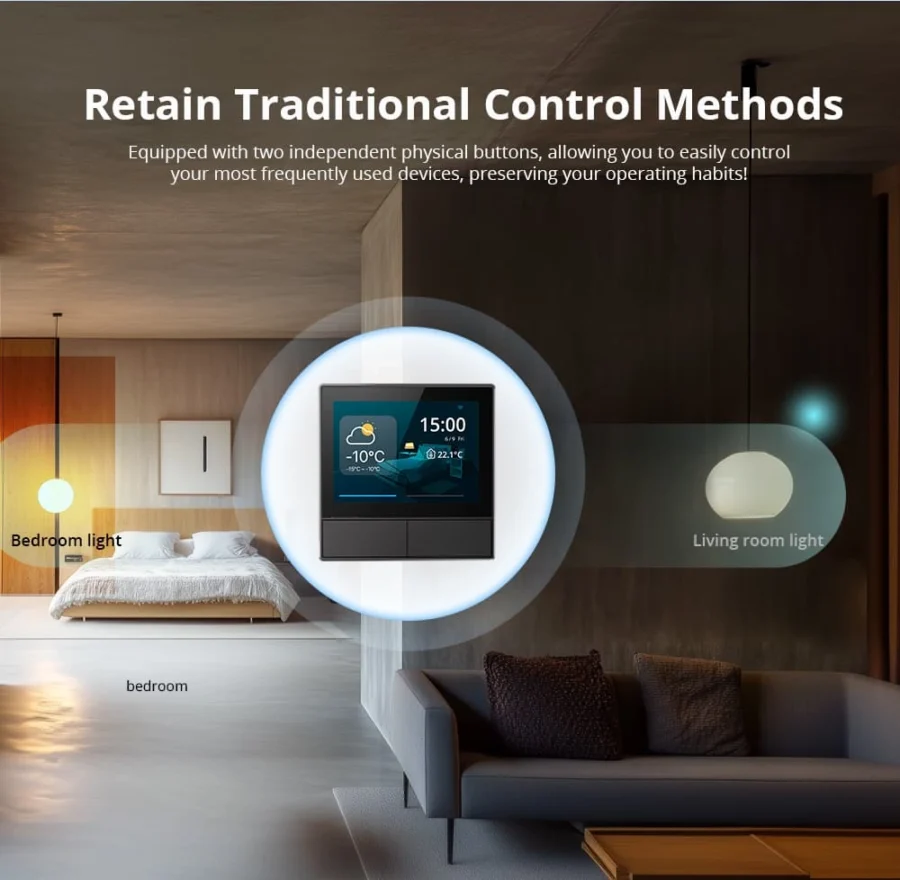
Retain Traditional Control Methods

Equipped with two independent physical buttons, allowing you to easily control your most frequently used devices, preserving your operating habits!
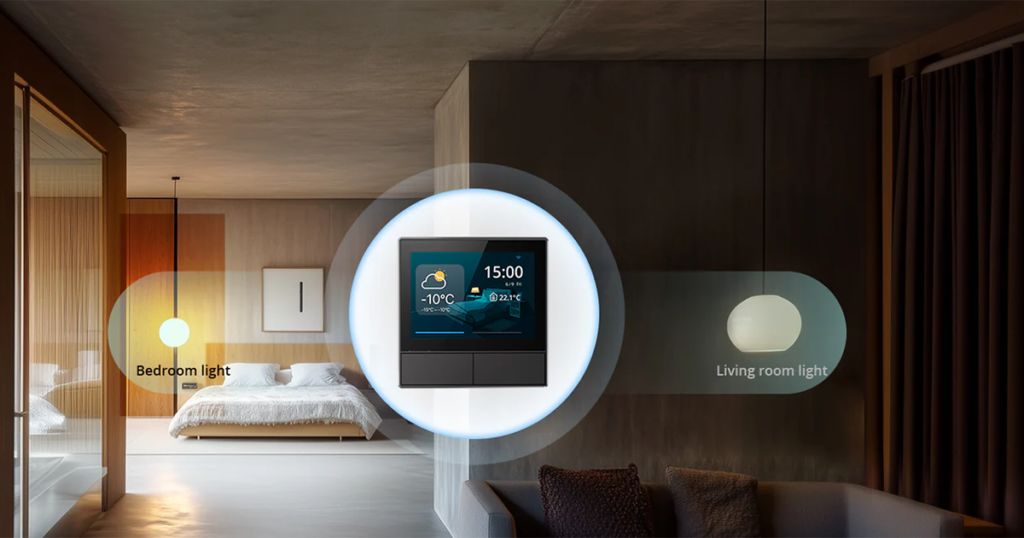
Retain Traditional Control Methods

Works With

Amazon Alexa
Works
Google Assistant
Works
All Sonoff Wi-Fi devices (in eWeLink)
Works
Scenes across the eWeLink ecosystem
Works

What's in the Box

1× Sonoff NSPanel 86 Type (Black)
Wall mounting screws
Installation guide

Delivery & Pickup

Standard Delivery
All Lebanon governorates - Greater Beirut usually next day; Tripoli, Jbeil, Saida, Tyre, Zahle, Akkar and the rest within 2–4 working days.
4 $ · Free over 50 $
Express Delivery
Faster shipping - usually within 24 hours of order confirmation (Greater Beirut & Metn). Same-day not guaranteed.
6 $ flat
Pickup - Dekwaneh
Collect from our Dekwaneh store. Weekdays 10am–5pm, Sat 10am–1pm.
3 $ · Free over 30 $

Warranty & Support

6-month Local Warranty
Covers defects in materials & workmanship. Handled here in Lebanon.
WhatsApp Support - Always On
Can't set it up? Message us. We reply within minutes, not days.
14-day Exchange - Unopened Items
The item must be unopened and in its original packaging. Exchange it for a product of equal or higher value - we do not give cash refunds. Opened items are covered by the warranty if there is a factory defect.
Free Setup Call
If you get stuck, we'll walk you through the setup on a free WhatsApp call.

Frequently Asked Questions

Can the NSPanel work with a gas boiler?
Yes - but it needs a dry-contact relay for safe wiring. If your boiler already has thermostat wires running to the wall location, the NSPanel + a small relay handles it directly. Otherwise, pair it with a Sonoff MINI Dry switch placed near the boiler for wireless control.
Can the NSPanel sync with my AC's own app (TCL, LG, etc.)?
Not directly - the NSPanel can't talk to manufacturer apps. But if your AC is controlled by a smart switch or IR controller (like a BroadLink RM4), the NSPanel can trigger scenes that control it.
Does it replace my existing wall switch directly?
Yes - it fits in standard 86-type Lebanese back-boxes and uses the same Live + Neutral wiring. The 2 physical buttons replace your old 2-gang switch.
Can I show outdoor temperature on the panel?
Yes - pair it with a Sonoff outdoor temperature sensor (TH Origin + DS18B20) and add the value as a widget on the home screen.
Does the screen stay on all the time?
By default it dims after a few seconds and turns off after a minute. You can adjust this in settings, including dim-time and brightness levels.
What's the difference between this and the NSPanel Pro?
The regular NSPanel (this one) is a Wi-Fi touchscreen - controls other Sonoff Wi-Fi devices via scenes. The NSPanel Pro has a built-in Zigbee hub, so it can pair Zigbee devices directly. Pro is more powerful but more expensive.
Does the warranty cover it?
Yes - covered under Smartio's standard manufacturer warranty against factory defects. Damage from electrical surges/spikes (unfortunately common in Lebanon) isn't covered - we strongly recommend a small surge protector on the circuit.
Can I order multiple for different rooms?
Yes - order one per room. Each panel can show its own room's temperature + control the devices in that room. Sync them all under one eWeLink account.

Compare Models