How It Works

1
Insert AAA batteries
Pop the back cover, drop in 2 AAA batteries, close it back up.
2
Put it into pairing mode
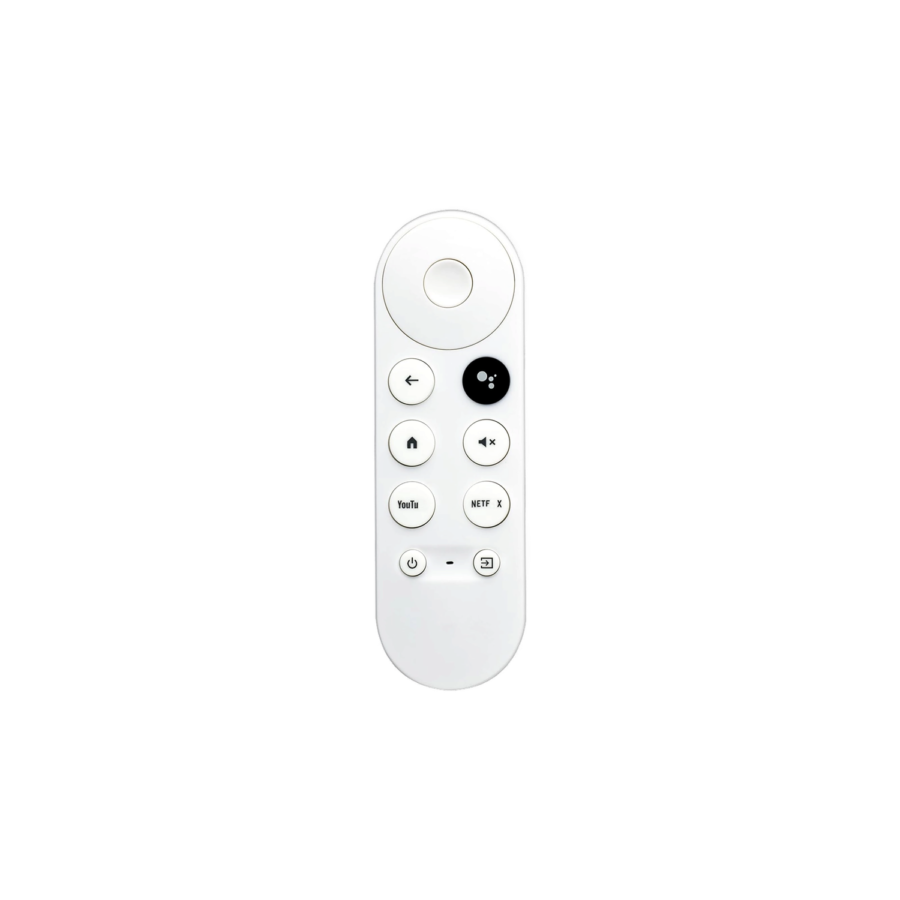
Hold the Home + Back buttons together until the LED at the top blinks. The remote is ready to pair.
3
Pair from the Chromecast
On your Chromecast, go to Settings → Remotes & Accessories → Pair Accessory. It finds the remote in seconds.
4
Set up TV volume control
Follow the on-screen prompt to teach the remote your TV brand - once set, the volume buttons will work on the TV too.
5.0 from 553 verified Google & Facebook reviews - real orders across Lebanon Read reviews

Is This Right for Me?

Compatibility: Chromecast with Google TV (4K) - official
Also tested on: Chromecast HD (works for most, not guaranteed)
Pairing: Bluetooth (Google Assistant + Chromecast functions)
TV control: Infrared (volume + power on compatible TVs)
Power: 2× AAA batteries (not included)
Voice: Built-in microphone for Google Assistant
Origin: High-quality alternative - not original Google

Product Details

Chromecast Remote Control

This Chromecast Remote Control is not an original Google product, but it’s a high-quality option that works perfectly. You can easily control your Google Chromecast with it. It’s comfortable to hold and lets you do everything you need, like opening apps, playing or pausing videos, changing the volume, and more-just by pressing a button. It’s a great tool to control your Google Chromecast.


Benefits:

  • Easy To Pair
    First, press the auto pairing button on the Chromecast Remote Control. Second, when the TV screen says “Start pairing,” hold down the Back and Home button on your remote until the indicator on your remote starts flashing, release the keys, and your remote is ready to use.
  • Voice Assistant
    You can press the Assistant button on the remote and use voice search to find your favorite content, control the volume, switch inputs, play music, and get answers, hands-free.

What You Get

Works with Chromecast 4K
Officially compatible with the Chromecast with Google TV (4K). Many customers also report success on the HD model - try it, but compatibility is guaranteed on 4K only.
Google Assistant voice button
Press and hold to search any show, ask a question, or control compatible smart devices - without typing.
Pairs in under a minute
Hold the home + back buttons together, the Chromecast picks it up immediately. No app setup needed.
Familiar shape
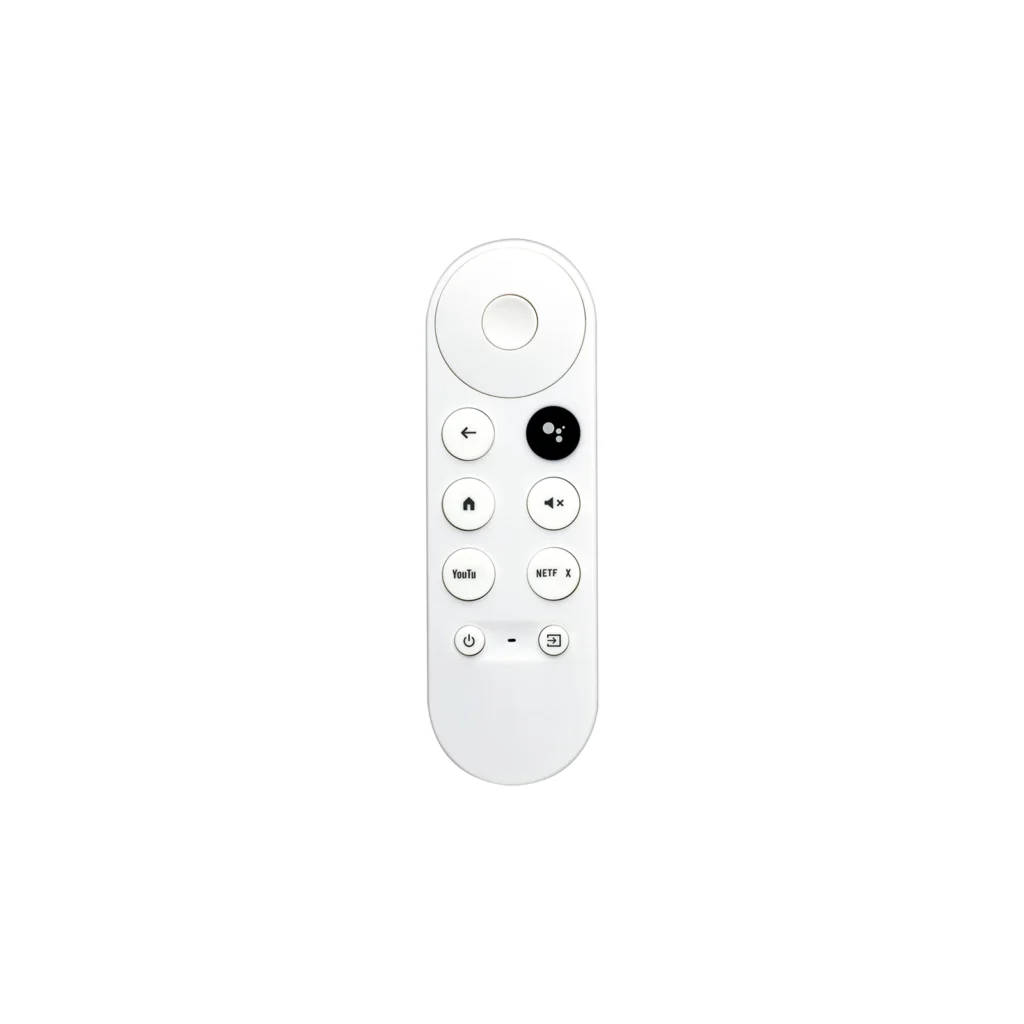
Same button layout as the original - your family won't need to learn anything new.

A Closer Look

Google Chromecast Replacement Remote Control

Customers like the ease of installation with the remote control. They mention that the menu to pair is quite easy. However, some customers have reported issues with the quality, buttons, and microphone. They say that the buttons don't click right, are hard to press, and won't recognize basic push. They also say that there's a delay between each response.
Google Chromecast Replacement Remote Control

Common Use Cases (1)

Real scenarios Lebanese customers use this product for. Don't see yours? Message us and we'll tell you if it fits.

Works With

Google Assistant
Works
Google TV interface
Works
Most TV brands (IR volume + power)
Works

What's in the Box

1× Replacement remote
1× User manual

Delivery & Pickup

Standard Delivery
All Lebanon governorates - Greater Beirut usually next day; Tripoli, Jbeil, Saida, Tyre, Zahle, Akkar and the rest within 2–4 working days.
4 $ · Free over 50 $
Express Delivery
Faster shipping - usually within 24 hours of order confirmation (Greater Beirut & Metn). Same-day not guaranteed.
6 $ flat
Pickup - Dekwaneh
Collect from our Dekwaneh store. Weekdays 10am–5pm, Sat 10am–1pm.
3 $ · Free over 30 $

Warranty & Support

6-month Local Warranty
Covers defects in materials & workmanship. Handled here in Lebanon.
WhatsApp Support - Always On
Can't set it up? Message us. We reply within minutes, not days.
14-day Exchange - Unopened Items
The item must be unopened and in its original packaging. Exchange it for a product of equal or higher value - we do not give cash refunds. Opened items are covered by the warranty if there is a factory defect.
Free Setup Call
If you get stuck, we'll walk you through the setup on a free WhatsApp call.

Frequently Asked Questions

Is this remote compatible with my Chromecast model?
Officially compatible with Chromecast with Google TV (4K). Many customers have used it with other Chromecast models successfully, but compatibility is guaranteed only on the 4K. If your model isn't listed, you can still try it - many users have tested it on other Chromecast models without issues.
Is this an original Google product?
No - this is a high-quality alternative, not an original Google product. It mirrors the original's layout and functions, and works perfectly with your Chromecast.
How do I pair it?
Pop in 2 AAA batteries, then hold the Home + Back buttons together until the LED blinks. On your Chromecast, go to Settings → Remotes → Pair new remote. Takes under a minute.
The remote isn't working properly - what should I do?
First, reset the Chromecast and re-pair the remote. If that doesn't fix it, factory-reset the Chromecast. If problems persist, contact us and we'll send a new remote.
Can I return it if it doesn't work with my model?
Unfortunately, this remote can't be exchanged if it doesn't work with your Chromecast model. Please check compatibility before ordering - official guarantee is for Chromecast with Google TV (4K).
Will it control my TV volume too?
Yes - the remote sends infrared codes for TV volume and power on most TV brands. You'll set this up during the initial Chromecast setup.
What are the delivery options?
Regular delivery and express delivery are available in select areas.

Compare Models