Sonoff
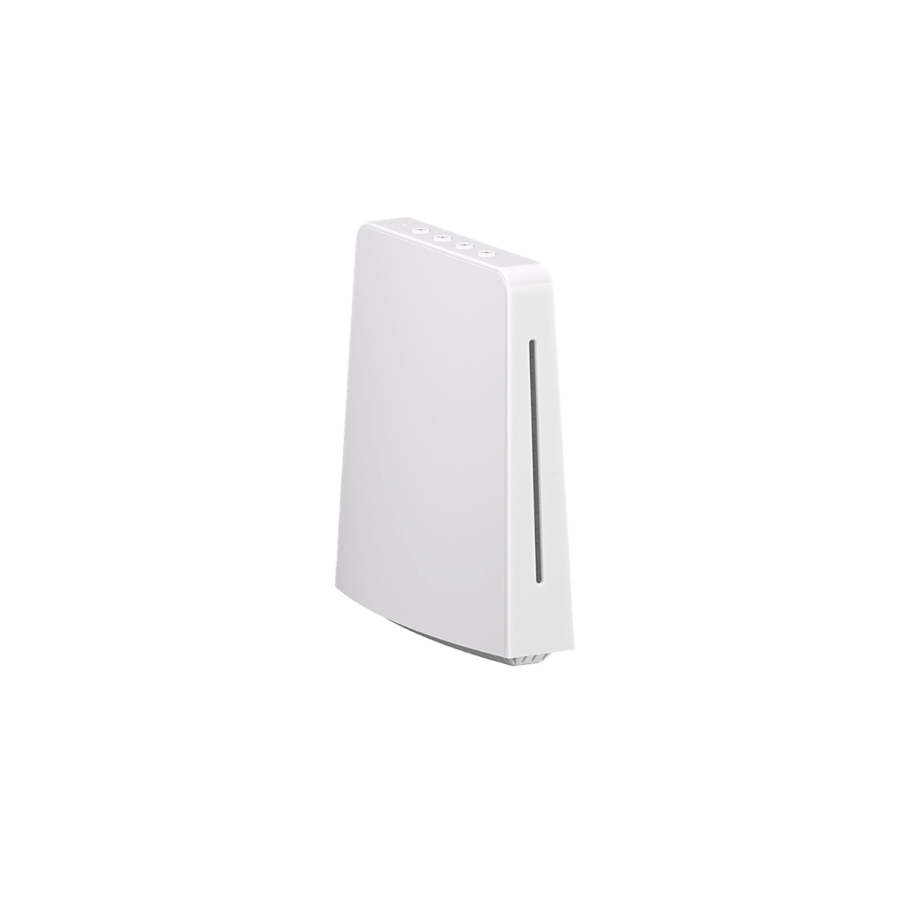
Sonoff iHost Smart Home Hub
Local-first smart home hub — Zigbee + Wi-Fi + Matter under one roof, automations run without cloud · Home Assistant compatible · 4GB RAM model
Control all your smart home devices locally — no cloud needed, your data stays private, works even without internet.
Sonoff
Zigbee + WiFi + Matter
USB-C (5V/2A)
Zigbee 3.0 + 2.4 GHz Wi-Fi
eWeLink CUBE
$130
Cash on deliveryWhish is also available.
Free delivery across Lebanon on orders over $50
Currently unavailable
Get WhatsApp restock alert
One message when it’s back. No spam.
Easy setup — pair it in the app, no wiring.
Not sure it fits your setup? Ask us on WhatsApp before you buy.
Know before you buy
- Local smart home hub — all automations run on the device itself, no cloud or internet required.
- Works with Zigbee devices and can integrate other protocols via add-ons.
- Easier to set up than a Raspberry Pi — designed for non-technical users who want local control.
Delivery all over Lebanon
6-month Warranty
WhatsApp Support
14-day Exchange on unopened items
Sonoff products customers bought together
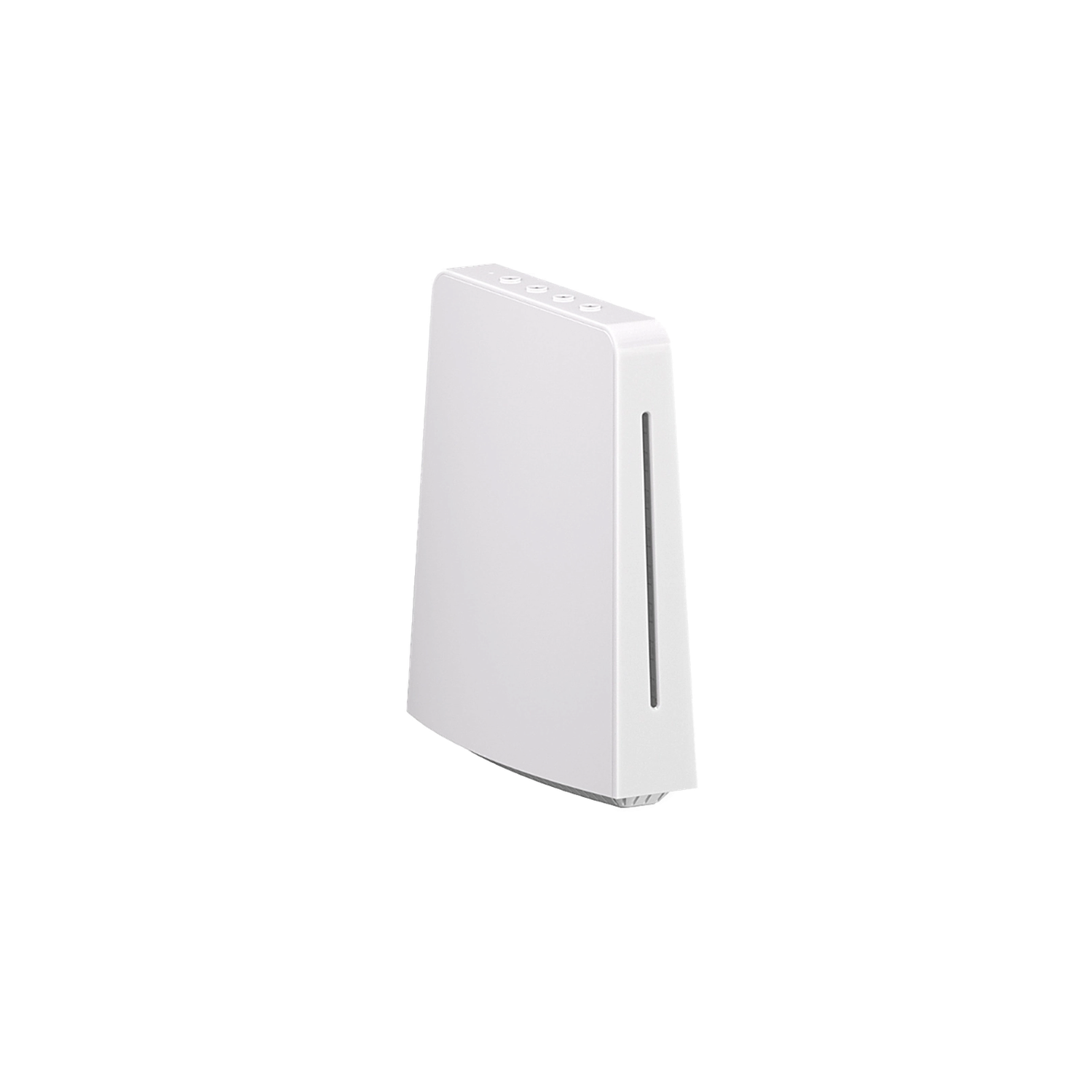
Sonoff iHost Smart Home Hub
This item
2 add-ons selected · $24
How It Works
1
Plug it in
Connect the USB-C power adapter, plug Ethernet into your router (or use Wi-Fi setup). LED on the iHost lights up.
2
Open the CUBE dashboard
From any browser, visit the iHost's local IP. Set up an admin account. No cloud account required.
3
Add Zigbee devices
Put Zigbee sensors and switches into pairing mode. The iHost detects them automatically — up to 128 devices.
4
Build local scenes
Create automations that run on the iHost itself: motion → light, schedule → AC, presence → fan. Optional: install Home Assistant as an add-on for advanced setups.
Is This Right for Me?
Memory: 4 GB RAM
Protocols: Zigbee 3.0 + Wi-Fi 2.4 GHz + Matter
Max sub-devices: 128 Zigbee + eWeLink Wi-Fi
Power: USB-C 5V/2A (adapter included)
Network: Ethernet (LAN) + Wi-Fi
Storage: Local — also supports USB add-on storage
Add-ons: Home Assistant, Node-RED, MQTT
Software: eWeLink CUBE (browser-based)
Product Details
Sonoff iHost Smart Home Hub
- Local Control Center: The Sonoff iHost Smart Home Hub serves as your local control center, elevating your home automation experience to be faster, more reliable, and more secure. Sonoff iHost Smart Home Hub is a local smart home hub that controls the devices through the LAN by the Web console. It can not only realize the connection and control of the devices and scene linkage but also set smart security according to different scenes, and check the logs of corresponding devices or scenes.
- Local Automation: Sonoff iHost Smart Home Hub supports settings local security modes and smart scenes. With software updates, it gradually unlocks more customizable capabilities.
- Local Data Storage & Manage: Sonoff iHost Smart Home Hub is dedicated to delivering a swift and seamless home automation experience. With local data storage and management, rest assured your information remains local and private, safeguarding your data security.
- Strong Compatibility: Sonoff iHost Smart Home Hub fully compatible with Zigbee standard protocol devices and Wi-Fi LAN devices. Manage up to 128 sub-devices and, with a Zigbee router, extend the Zigbee network range for whole-home control. Through the eWeLink Smart Home Add-on, you can integrate Wi-Fi devices that support LAN control from Sonoff.
- Expandable Add-Ons: Sonoff iHost Smart Home Hub accommodate a range of add-ons to unlock more possibilities, ensuring all your needs are met.
What You Get
Local-first automations
Scenes run on the hub itself — when your router goes down, your lights still turn on at sunset, motion still triggers, schedules still fire.
Your data stays in the house
No cloud relay for routines. Sensor data and device state stay on the iHost, not on a server abroad.
Mix Zigbee + Wi-Fi + Matter
One hub manages up to 128 Zigbee devices plus eWeLink Wi-Fi devices and Matter devices — everything in one dashboard.
Home Assistant add-on support
If you outgrow eWeLink CUBE, install Home Assistant or Node-RED as an add-on directly on the iHost.
Strong compatibility
Sonoff Zigbee devices, Aqara sensors, ThirdReality, plus dozens of third-party Zigbee brands.
Works With

Amazon Alexa
Works
Google Assistant
Works

Home Assistant
Works

Matter
Works

Node-RED
Works

MQTT brokers
Works

Aqara Zigbee devices
Works
ThirdReality Zigbee devices
Works
Control with the eWeLink app
eWeLink
Set up your Sonoff iHost Smart Home Hub in minutes — voice control, scenes, automations, away mode.
App Store
Google Play
What's in the Box
1× Sonoff iHost Smart Home Hub
1× USB-C power adapter (Lebanese 220V)
1× Ethernet cable
User manual (also in Arabic)
Delivery & Pickup
Standard Delivery
All Lebanon governorates — Greater Beirut usually next day; Tripoli, Jbeil, Saida, Tyre, Zahle, Akkar and the rest within 2–4 working days.
$4 · Free over $50
Express Delivery
Faster shipping — usually within 24 hours of order confirmation (Greater Beirut & Metn). Same-day not guaranteed.
$6 flat
Pickup — Dekwaneh
Collect from our Dekwaneh store. Weekdays 10am–5pm, Sat 10am–1pm.
$3 · Free over $30
Warranty & Support
6-month Local Warranty
Covers defects in materials & workmanship. Handled here in Lebanon.
WhatsApp Support — Always On
Can't set it up? Message us. We reply within minutes, not days.
14-day Exchange — Unopened Items
The item must be unopened and in its original packaging. Exchange it for a product of equal or higher value — we do not give cash refunds. Opened items are covered by the warranty if there is a factory defect.
Free Setup Help
Every order includes a setup guide — plus a free WhatsApp call if you ever need a hand.
Customer Reviews (1)
5.0
★★★★★ 1 review
Smartio customer
May 2026
★★★★★
✓ Verified Purchase
Frequently Asked Questions
Can it really operate everything without internet?
›
Yes — automations, scenes, and schedules run locally on the hub. If your router goes down (but the iHost has power), Zigbee devices still report to it, scenes still fire, and motion still triggers lights. The cloud is only needed for remote access from outside your home.
How is this different from a Zigbee Bridge Pro?
›
A Zigbee Bridge is a coordinator only — it talks to Zigbee devices and forwards data to eWeLink in the cloud. The iHost is a full local brain: it runs eWeLink CUBE (a web dashboard), local scenes, integrates Wi-Fi and Matter devices too, and supports Home Assistant as an add-on. The Bridge is simpler; the iHost is for power users.
Can I install Home Assistant on it?
›
Yes — Home Assistant runs as an add-on directly on the iHost. You get the local-first benefits of the iHost hardware plus the vast device support of Home Assistant.
Does it work during EDL cuts?
›
If the iHost has power (e.g. from a small UPS), all local automations keep running. Cloud features (remote app access from outside) need internet too, so router uptime matters.
What's the difference between the 2GB and 4GB models?
›
Smartio stocks the 4GB version. More RAM means smoother performance when running Home Assistant or Node-RED as add-ons, and headroom for more devices.
How many devices can I connect?
›
Up to 128 Zigbee sub-devices directly. Wi-Fi (eWeLink) and Matter devices are essentially unlimited within reason. For a typical home, you'll never hit the limit.
Do I need an electrician to install it?
›
No — it's plug-and-play. Connect the USB-C power adapter, plug in the Ethernet cable to your router (or use Wi-Fi), open the eWeLink CUBE dashboard from any browser.
What's the warranty?
›
Standard Smartio warranty applies — return defective units in original packaging and we'll replace them. See our warranty page for full terms.
Compare Models
Still deciding?
Message us on WhatsApp — we'll tell you honestly if this is the right fit for your home.